Over the last few days I have been testing Samsung’s latest Galaxy Book6 with Intel’s Panther-Lake processor with an ARC B390 GPU. Overall I have been very impressed with the system, but I recently ran into an odd issue using Blender 5.1.
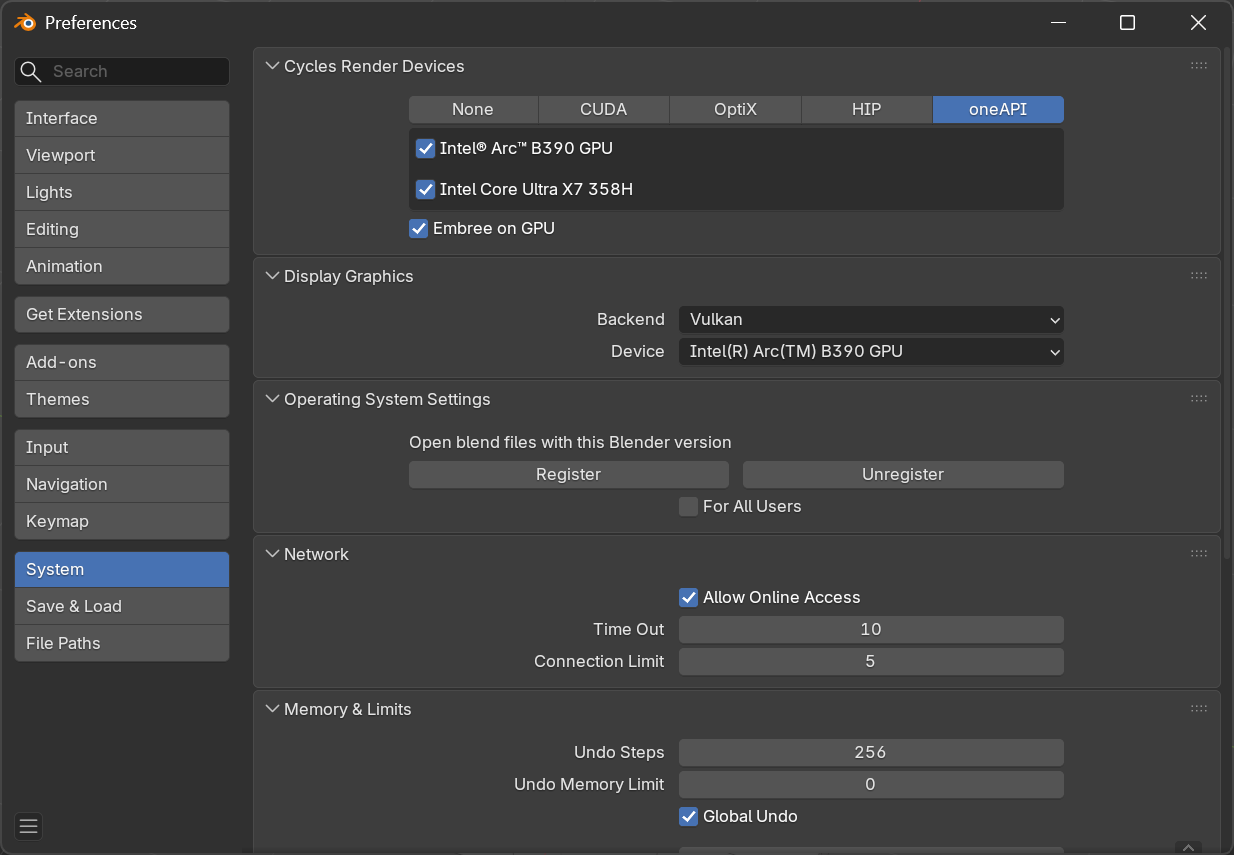
Blender has wide support for various graphics accelerators, and for the Arc, you need to go to the System section in the Preferences and choose “Vulkan” as the backend and enable the Arc B390 in the “oneAPI” section. The default backend is “OpenGL” which performs very poorly.
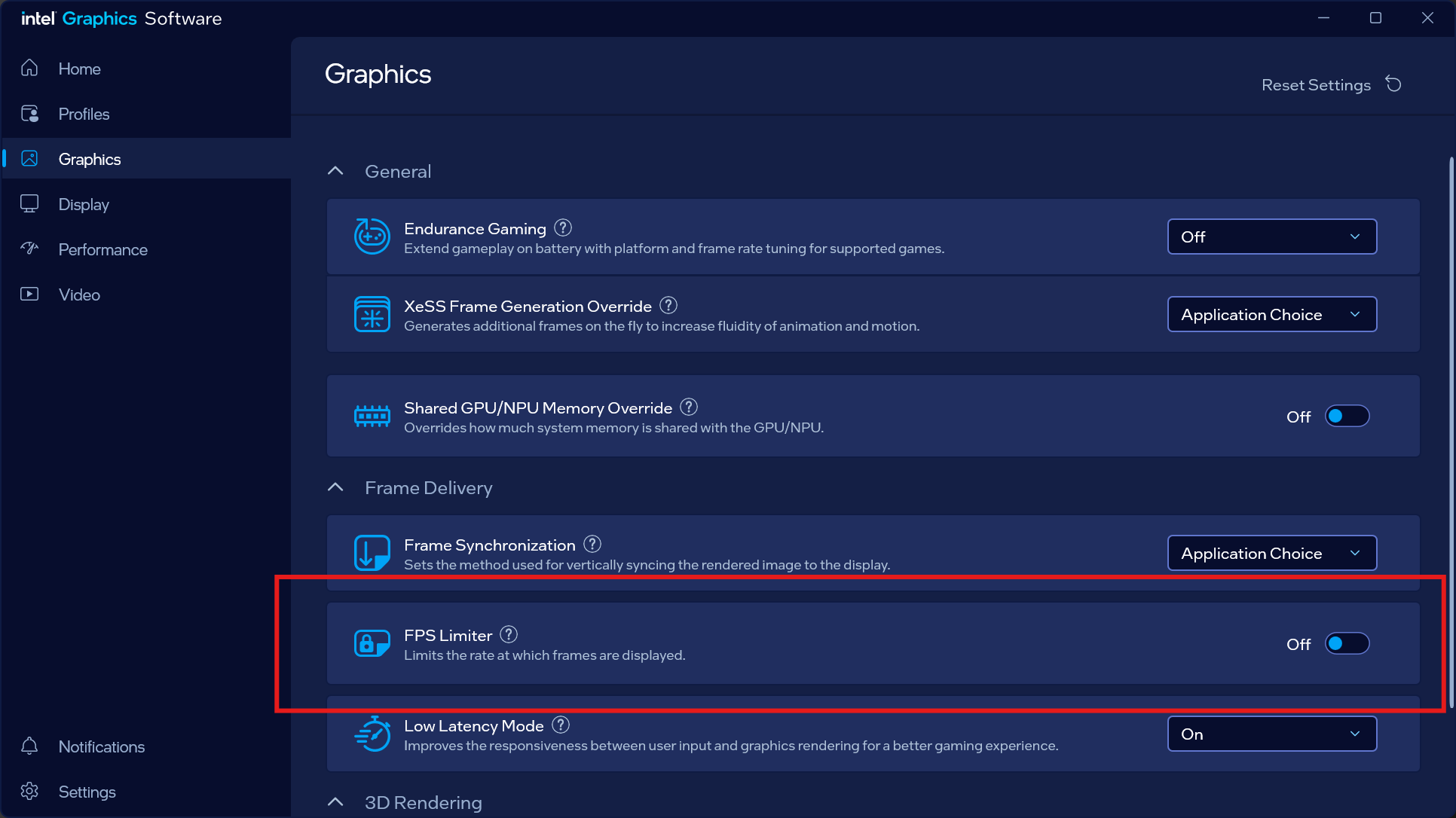
After the change, the viewport will function smoothly. But it’s not all perfect. After some panning and rotation, there will be odd artifacting and screen corruption in the grid lines. It’s mainly a visual issue, and is not captured with screen capture software. After some troubleshooting, it turns out to be an issue with the Intel Arc drivers and is related to the frame rate. If you open the Intel Graphic Software, you can toggle the “FPS Limiter” to ON, and the problem goes away.
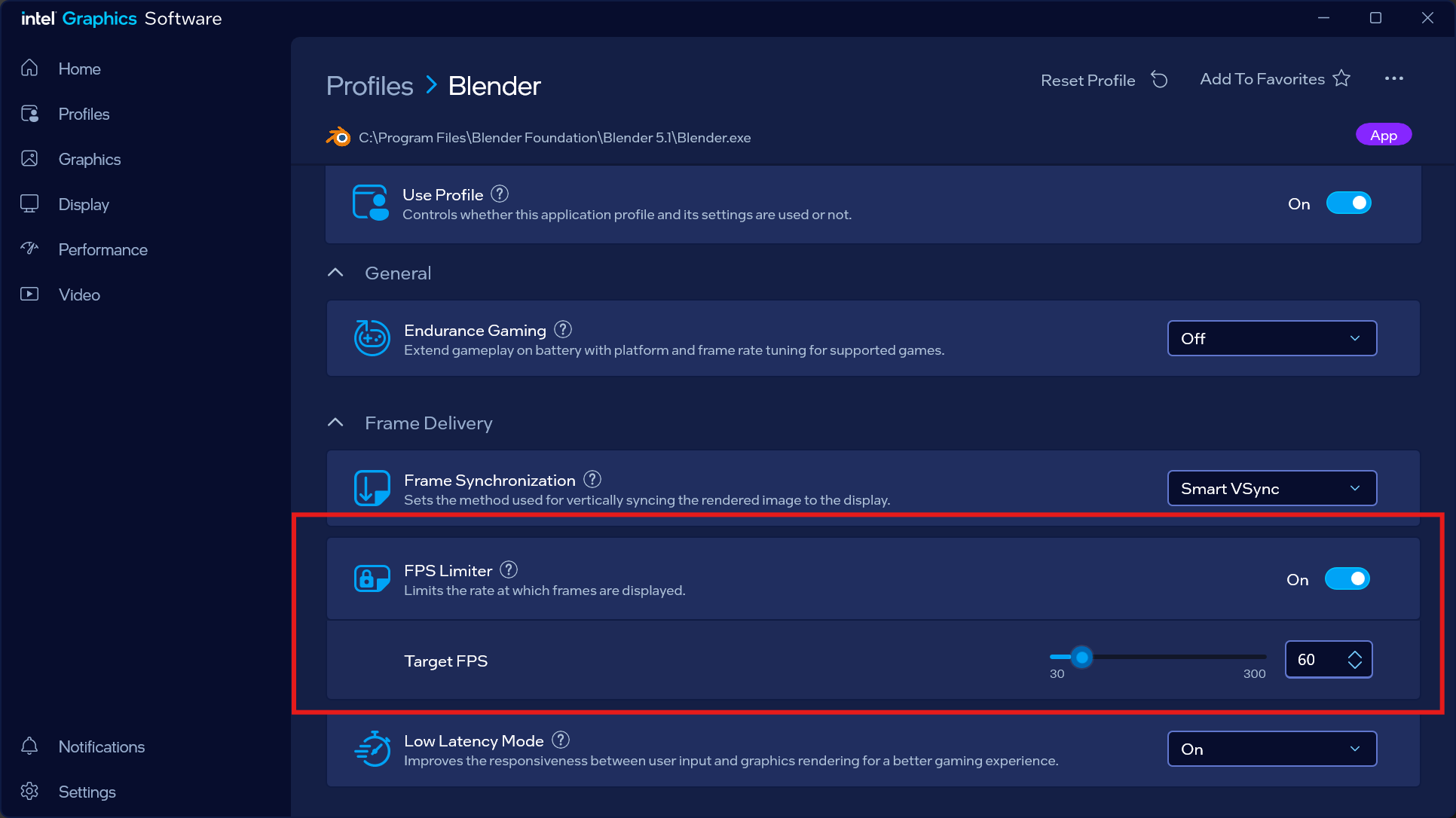
You will probably not want to use this option globally, the better option is to create a new Profile for Blender and Turn this option on, and set the Target FPS to 60.
 Be warned though, this feature will actually cause Blender to hang if you go to the Blender Preferences. The issue seems to stem from the Intel driver and the Vulcan backend, where there is a refresh issue which causes the Preferences to hang. So the trade off will be turning on the FPS Limiter when working and turning it off if you need to get back into the preferences.